A full set of API examples based on different common scenarios.
To perform the web based device data collection and issuer challenge steps you can use the forms under Testing.
| Last Updated | |
|---|---|
| Download Postman Collection | 2025-07-07 |
2025-07-07
- Initial release
| 1) Import Collection | 2) Set Authentication Details |
|---|---|
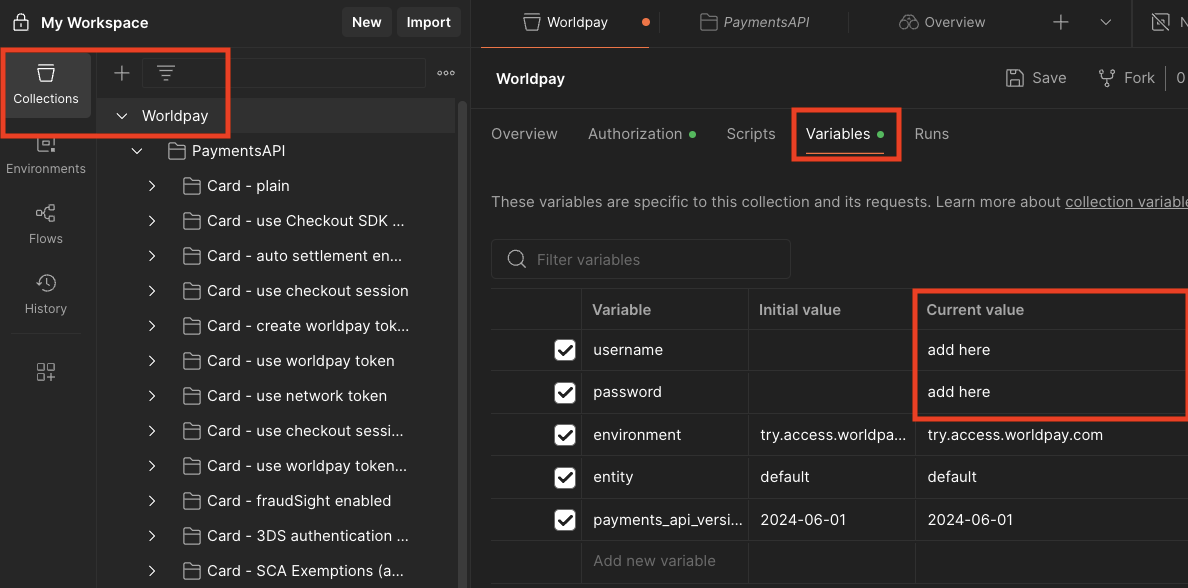
Download the postman collection above and import 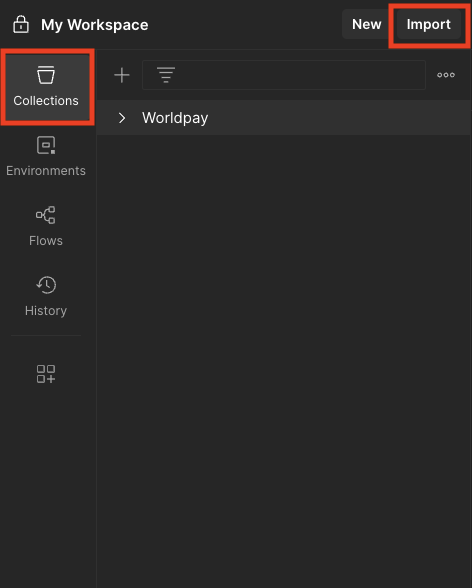 | To set your Try (Test) username and password go to the variables section under the top 3DS folder
|