Last updated: 09 October 2026 | Change log
A full set of API examples based on different common scenarios.
| Last Updated | |
|---|---|
| Download Postman Collection | 2026-05-14 |
2026-05-14 - added External 3DS and orderReference
- Added example for providing 3DS authentication details from another provider
- Added
orderReferenceto all examples
2026-02-18 - added Google Pay and Apple Pay Decrypted
- Add examples for Google Pay and Apple Pay decrypted wallets
- Add Payment Facilitator example
2025-10-27 - SCA exemptions in authentication
- Updated SCA Exemptions example to include placement
authentication - Removed top level
Worldpayfolder and renamed toWorldpay-Payments-API
2025-04-02 - initial release
- Removed the separate environment file, variables now exist as part of the collection instead of the environment.
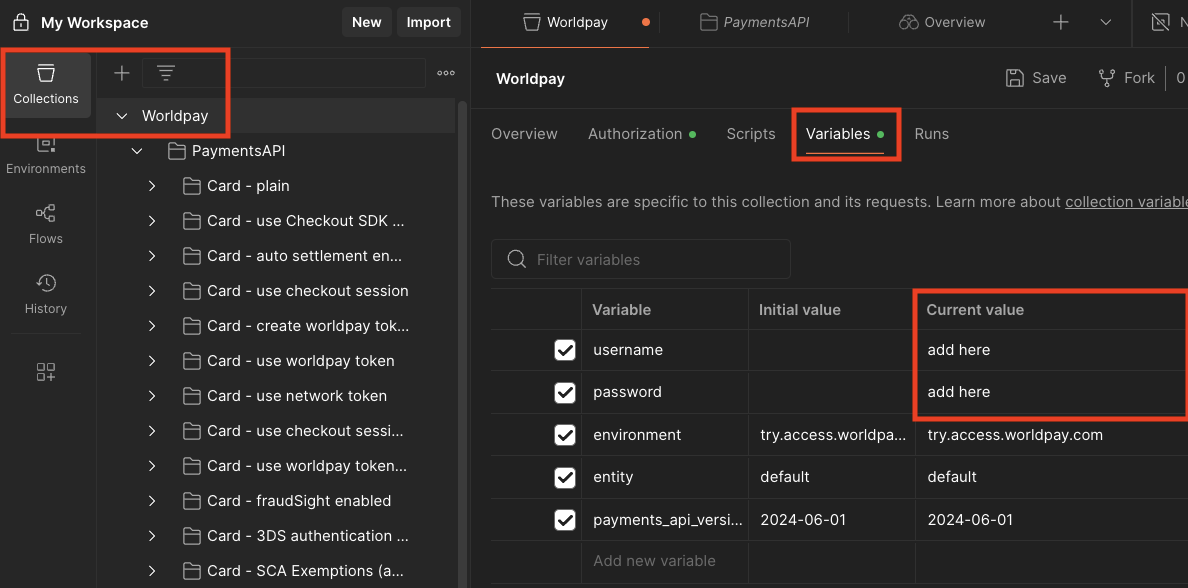
- Variables are used for username, password, entity, environment & API version, all other key:values are part of the request body for simplicity.
- Added an example of using a network token.
- Added a single example using checkout, FraudSight, 3DS and token creation.
| 1) Import collection | 2) Set authentication details |
|---|---|
Download the Postman collection above and import 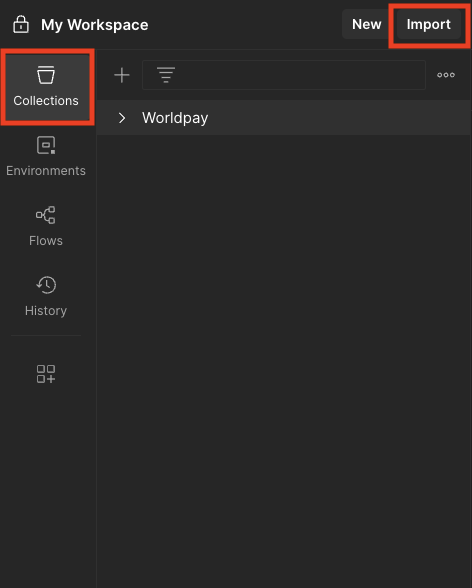 | To set your Try (Test) username and password go to the variables section under the top Worldpay folder
|