Last updated: 01 September 2026 | Change log
Not sure where to start? Use the sections below to help you understand how to integrate. Not your first payment integration? Dive straight in to the API reference with a detailed schema and lots of examples.
Build a payment request
Select common payment scenarios and features to build a payment request
Smart Journey Demo
Explore our interactive demo to see how to make our APIs work for your business.
Sequence diagrams
View sequence diagrams to understand how common Payments API flows would integrate with your application.
Postman Collection
Download a collection of API requests for common flows. You will need test credentials.
Supported: American Express / Cartes Bancaires / Discover / Diners / EFTPOS / JCB / Maestro / MasterCard / MasterCard Debit / Visa / Visa Debit / Visa Electron (UK only)
Visit our stored credentials article for an overview of Customer Initiated Transactions and Merchant Initiated Transactions.
Here are payment journeys we support:
 Apply card details directly in our Payments API, or use our PCI-compliant Checkout SDK to take a one-time card payment.
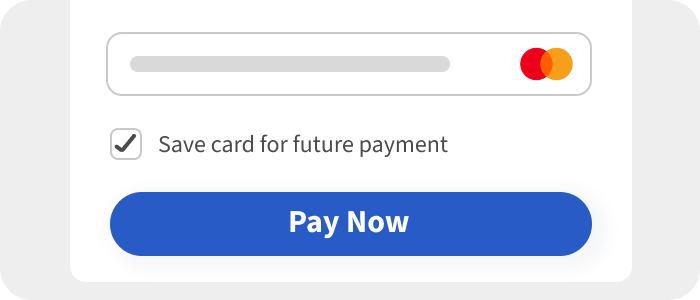 Setup an agreement to store a customer's card details following a payment. For use with future Customer Initiated Transactions (CIT).
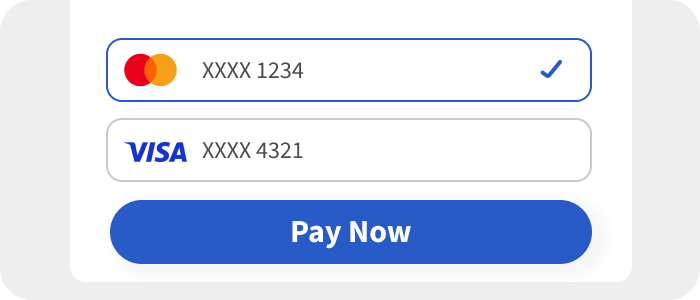 Use a previously stored
  Set up a customer agreement to store card details for future Customer Initiated Transactions (CIT), without taking an initial payment.
 Set up an initial customer agreement (CIT) to perform subsequent recurring payments (MIT - Merchant Initiated Transactions).
  Following an initial customer agreement, perform subsequent recurring payments (MIT - Merchant Initiated Transactions).
You can apply card details directly in our Payments API, or use our PCI-compliant Checkout SDK to create a session.
 Take a payment with Apple Pay.
  Take a payment with Google Pay.
 3DS Authentication
Perform 3DS authentication for liability shift and/or SCA compliance. An issuer based risk assessment with identity check.
SCA Exemptions
Ask for an SCA Exemption to be applied automatically.
Risk Assessment
We assess the payment for fraud before proceeding with authorization.
Auto Settlement
Automatically settle a payment following the authorization.
Account Funding Transactions (AFT)
Transfer funds from a card account to another destination, rather than for the provision of goods or services.
Financial Service (MCC 6012/6051)
For domestic Financial Services providers (MCC 6012) based in the Visa Europe Region, you must supply this additional data.
Latin America Installments
Fulfill a one-time installment charge, to allow the customer's acquirer bank collecting the payments over time.
Payment Facilitator
Facilitate transactions on behalf of your sub-merchants.
MOTO transactions
Take Mail Order/ Telephone Orders on behalf of your customers.
Account Updater
Automatically update card details to prevent declines due to expired or changed cards.
Pay via AI Agent (Delegate Token)
OpenAI's instant checkout using Agentic Commerce Protocol (ACP)
Build a simple payment request as a starting point. Toggle features on and off as needed.
Mail Order/Telephone orders on behalf of your customers. See enabling moto for details.
Customer or Merchant Initiated Transaction
For more information on CIT and MIT payments read this article.
A Customer Initiated Transaction (CIT) is used by default in the request example:
Store the card details for future payments (e.g. use the same card for the next transaction). See store a card for details.
A Merchant Initiated Transaction (MIT) where the customer is not present in initiating the payment. See make a subsequent recurring payment for details.
Payment Method
The request example is for a plain card number by default
Use a session from the Checkout SDK and qualify for SAQ-A PCI compliance.
Use a Worldpay Token for the payment. See use a stored card for details.
Use a network token. See use a stored card for details.
If the cryptogram is not provided it will be provisioned automatically. This will only work for Worldpay created NPTs
Enable auto settlement. See enabling auto settlement for details.
Add a risk assessment to the request. See enabling FraudSight for details.
Add 3DS authentication to the request. See enabling 3DS for details.
For setup of new recurring agreements (e.g. subscription/first) the challenge preference should be set to challengeMandated for regions such as EEA (European Economic Area).
{
    "transactionReference": "Memory265-13/08/1876",
    "merchant": {
        "entity": "default"
    },
    "instruction": {
        "method": "card",
        "paymentInstrument": {
            "type": "plain",
            "cardHolderName": "Sherlock Holmes",
            "cardNumber": "4000000000002701",
            "expiryDate": {
                "month": 5,
                "year": 2035
            },
            "billingAddress": {
                "address1": "221B Baker Street",
                "address2": "Marylebone",
                "address3": "Westminster",
                "postalCode": "SW1 1AA",
                "city": "London",
                "state": "Greater London",
                "countryCode": "GB"
            },
            "cvc": "123"
        },
        "narrative": {
            "line1": "trading name"
        },
        "value": {
            "currency": "GBP",
            "amount": 42
        }
    }
}